
At the main menu for first time registrants please select from Step 1 "Link & Register".
This website uses cookies to enhance usability and provide you with a more personal experience. By using this website, you agree to our use of cookies as explained in our Privacy Policy.
Municipal Election — October 26
The 2026 Municipal Election is happening on Monday, October 26, 2026.
You can vote:
Before you vote, check the Voters’ List to make sure you’re registered and your information is up to date.
The Property Tax Portal is a convenient way to review your Central Elgin property tax account anytime, anywhere, from your computer or mobile device.
Details provided included:
Account Balance
Current and Previous Billing Amounts
Payment Details
Due Dates
Realtors and Law Firms this portal is also available for you to obtain:
Assessment Values
Annual Tax Levies
Legal Descriptions By Property Address
If you require assistance obtaining your roll number and/or PIN please contact our main office or our Property Tax Coordinator. Please note that the portal provides a summary of your property tax at the time of access, and may not reflect recent updates.
At the main menu for first time registrants please select from Step 1 "Link & Register".
At the bottom of the screen, select the "Show Me How" button.
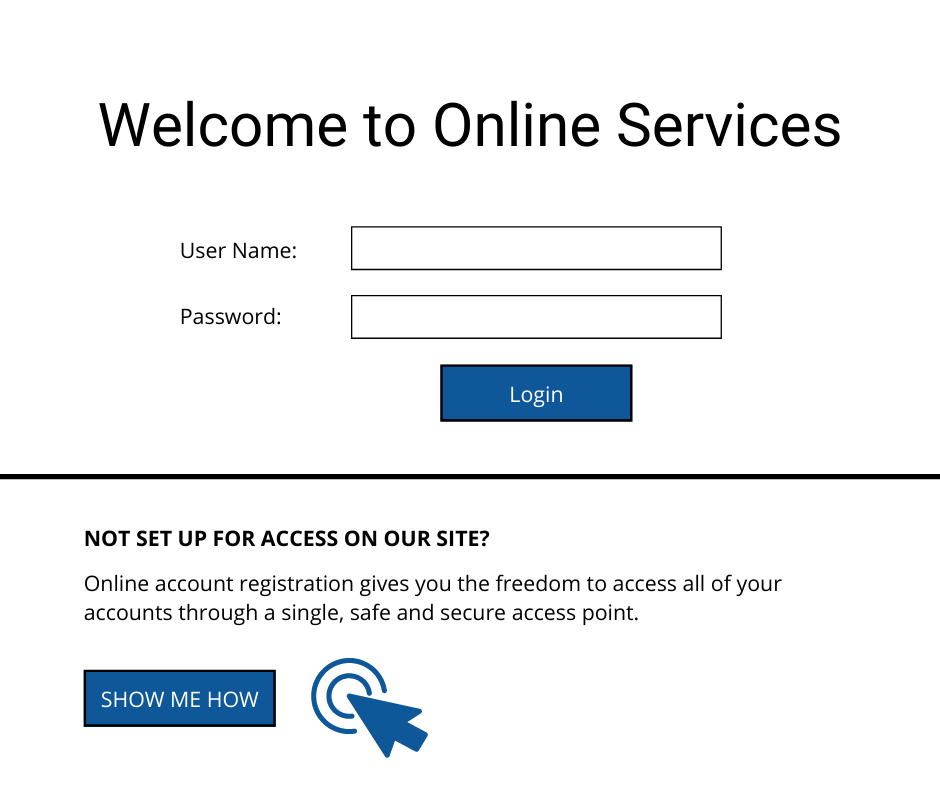
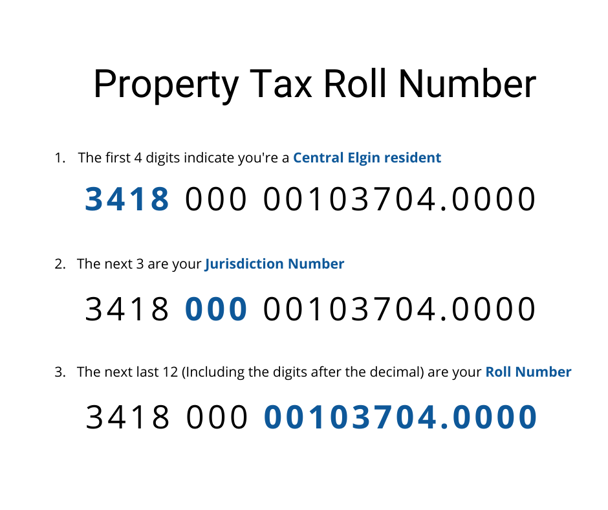
On the next screen is where you will key in your property tax details.
Step 4 Personalize Your Access
In the next screen it'll ask for a:
And you're done! You will now have access to your property tax account details at any time!
Contact Us
450 Sunset Drive,
St. Thomas, Ontario
N5R 5V1
Phone: (519) 631-4860,
Email: info@centralelgin.org
Hours of operation: Monday to Friday 8:30am to 4:30pm
View the Latest News from Central Elgin


